 Xeno Leads
Local Services Ads Are Moving Into Google Ads. What Changes for Your Shop
The short answer
Google is moving Local Services Ads into Google Ads as Performance Max campaigns with pay-per-lead goals, in phases from August 2026 into 2027. You still pay per lead, still show on Search and Maps, and still have no keywords. Old reports don't carry over, manual disputes end, and weekly budgets turn daily, so save your history first.
You run Local Services Ads, the ones with the Google Verified badge where you pay per lead. Now Google says they're moving into Google Ads. Here's what that means for your shop, checked against Google's help pages on November 17, 2026. This is rolling out in phases, so if you're reading this later, check those pages again.
What is actually changing?
Your Local Services Ads campaign becomes a Performance Max campaign with "pay-per-lead goals," and you manage it inside Google Ads instead of the separate Local Services dashboard (Google Ads Help). Google does the move for you, and your settings come over automatically.
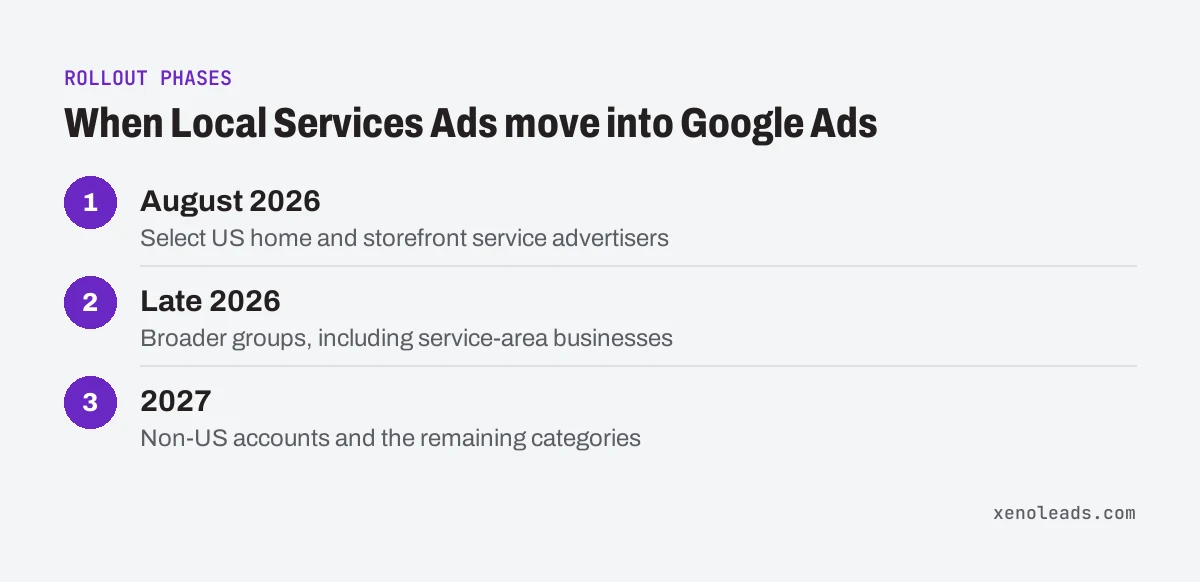
Google lists three phases. August 2026 for select home and storefront service advertisers in the US, in trades such as plumbing, HVAC, house cleaning, lawn care and pest control. Late 2026 for broader groups, including service-area businesses without a storefront and accounts with custom bidding or booking setups. And 2027 for non-US accounts and the remaining categories (Google Ads Help).
You'll get warning. Google says the account administrator gets an email 14 days before the migration and a final reminder 7 days before. After it's done, the old dashboard redirects to Google Ads.
What stays the same?
The parts most owners care about stay put. Per Google (Google Ads Help):
- You still pay per valid lead, not per click.
- Ads still show on Google Search and Google Maps, in the same positions as before.
- There are still no keywords. Targeting comes from your business categories, service types, service areas and ad schedule (Google Ads Help).
- Your existing verification and Google Verified badge carry over, and Google says insurance and license reverification are no longer required.
Your locations, service types, categories, budget limits, ad schedule and photos transfer automatically. Google says to allow up to two weeks for the move to finish and for performance to settle.
What changes that I should know about?
A handful of things, and the first one is worth acting on before your move. All of these are from the same Google page (Google Ads Help):
- Old reports don't come with you. Google says your previous performance reports don't carry over to Google Ads. Your past leads, messages and call recordings do move to the new Leads page.
- No more manual disputes. Google says manual lead disputes are no longer supported.
- Bidding gets simpler, and blunter. Manual bidding, like a max cost per lead, goes away, and so do separate targets per category. You get one target for the whole campaign. If you want a different target for each category, Google says to set up separate campaigns per category.
- Weekly budgets become daily. Your weekly budget gets divided by 7. Google says monthly spend won't go over that daily average times 30.4.
- Your Business Profile is the boss. Name, address and hours come from your Google Business Profile and sync one way into Google Ads. A big change to your name or address triggers a verification review, usually 24 to 48 hours, and the campaign may pause while it runs.
- BBB callouts are gone. Google says to add at least six other callouts instead.
Is my shop moving now?
Maybe not yet. The phases go by trade, storefront and country, so a garage door or towing shop may land in a later group than a plumber down the street (Google Ads Help).
The email to your account administrator is the real signal. Until it shows up, keep running the dashboard you have, and do the prep steps below anyway, because you'll be making this same move.
How do I get ready this week?
Most of this is saving things and checking who gets the email.
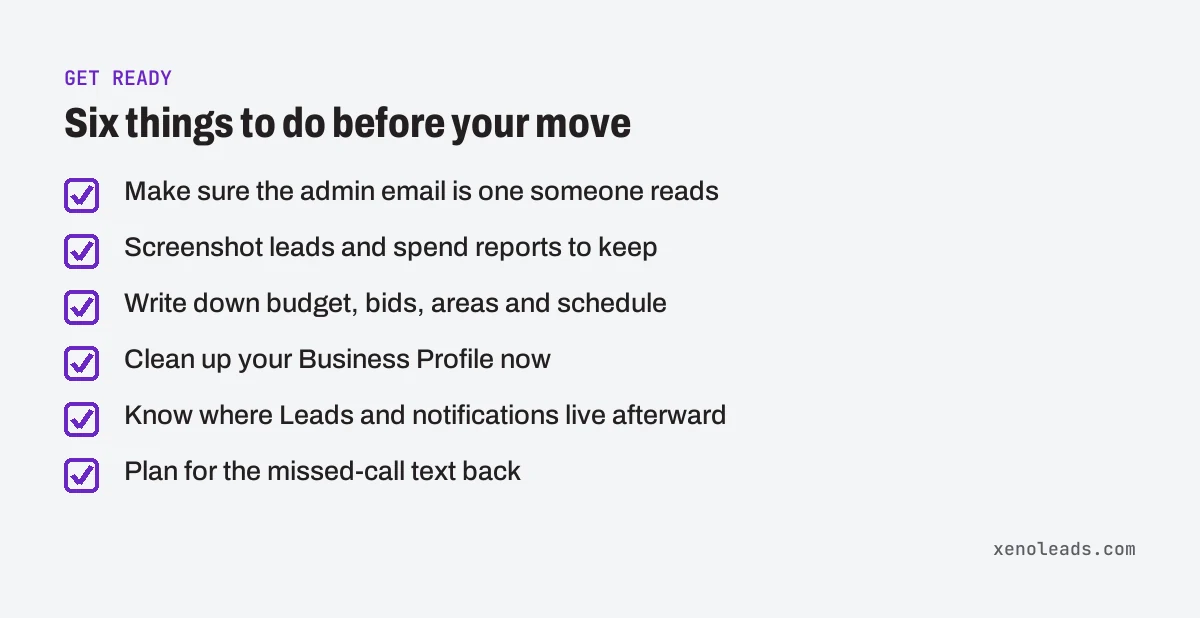
- Find out who the admin is. The 14-day notice goes to the account administrator. Make sure that's an inbox somebody actually reads, not an old employee's email.
- Save your history. Before your move, screenshot the reports in your current dashboard you'd want to compare against later, like leads and spend by month. Google says that after the move, the redirection page lets you download total lead spend and charged leads split by phone, message and booking, but not impressions or clicks (Google Ads Help).
- Write down your current settings. Your weekly budget, any per-category bids, your service areas and your schedule. After the move you'll want to check they came over as you expect.
- Clean up your Business Profile now, not during the move. Check your hours, phone number, service areas and primary category. Location targeting gets prefilled from your profile's service areas (Google Ads Help). Since big name or address changes can pause the campaign, get them done well before your migration date.
- Know where things live afterward. Google says leads are under Goals, then Conversions, then Leads, and lead email alerts are under Admin, then Notifications (Google Ads Help). (If the menu has moved, search for "leads" in the account's search bar.)
- Answer the phone. Phone calls are one of the lead types you pay for, right alongside messages and bookings (Google Ads Help). If calls slip through, have a plan for the missed-call text back.
If you get stuck, Google lists a dedicated migration support line on its help pages, open weekdays.
Want a second set of eyes on it?
We don't manage Local Services Ads accounts. But if you also run regular Google Ads and want to talk through how it all fits together once your account moves, book a 30-minute call.
Sources
- Local Services Ads transition to Performance Max campaigns with pay-per-lead goals (support.google.com)
- About targeting for pay-per-lead goals for Performance Max (support.google.com)