 Xeno Leads
Is Google's AI Writing Parts of Your Ads? Here's How to Check
The short answer
If your Search campaign has AI Max turned on, Google can match it to searches beyond your keywords, write headlines from your website and send clicks to a different page on your site. Some campaigns were switched over automatically starting September 2026. Check the AI Max settings, then the search terms, asset and landing page reports.
You wrote your ads. You picked your keywords. You chose the page people land on. If AI Max is on in your campaign, Google may be changing all three, and nobody has to tell you each time.
What is AI Max, in plain terms?
AI Max is a set of automatic features Google layers on top of a regular Search campaign. It isn't a separate campaign type. It gets switched on inside the campaign you already have (Google Ads Help).
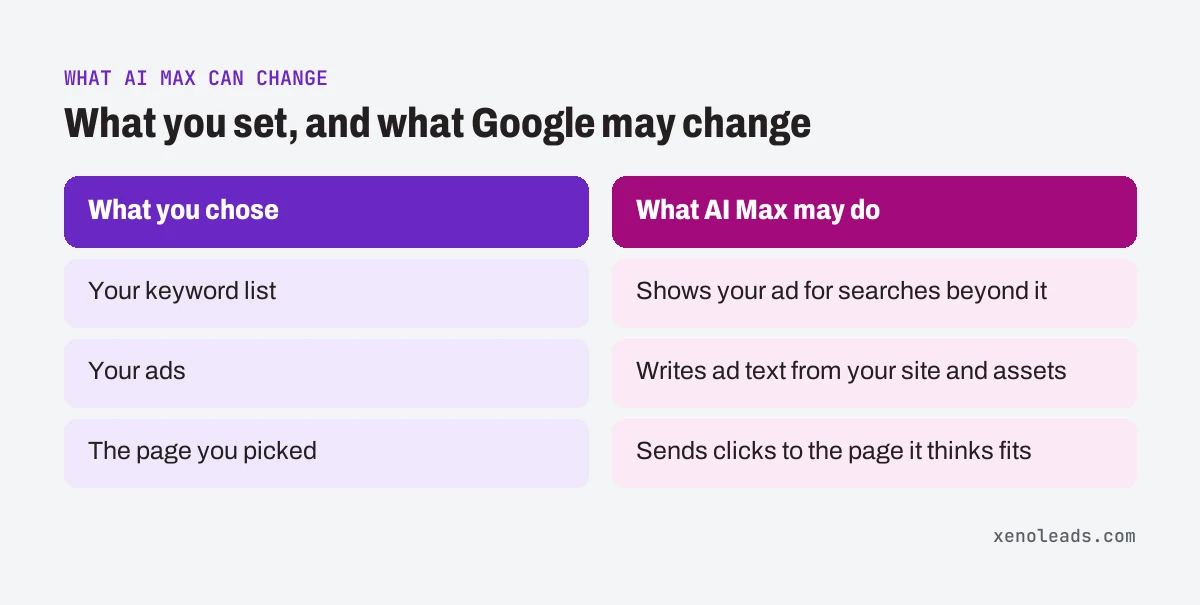
Three parts matter for a small shop:
- Search term matching. Google uses broad match plus your ads and landing pages to show your ad for searches beyond your keyword list. You control it per ad group (Google Ads Help).
- Text customization. This used to be called "automatically created assets." Google uses generative AI to write ad text from your existing ads, your website and your other assets (Google Ads Help).
- Final URL expansion. Google can send a click to whichever page on your site it thinks fits the search best, instead of the page you picked (Google Ads Help).
None of that is automatically bad. It just means the ad someone saw, the search that triggered it and the page they landed on might all be things you never approved.
Did Google turn it on without asking?
Possibly. Trade press reported that Google emailed advertisers in August 2026: starting September 1, 2026, Search campaigns using automatically created assets or the campaign-level broad match setting would be upgraded to AI Max (PPC Land, trade press).
Per that report, campaigns that had automatically created assets on got search term matching and text customization, and campaigns using the campaign-level broad match setting got search term matching only. Final URL expansion wasn't switched on by default for either group (PPC Land, trade press).
So if you never touched a setting called AI Max, it can still be on.
Why would an owner care?
Because each part can cost you money or a job in a way that's hard to spot from the summary numbers.
Take a made-up garage door shop, Copper Hinge Garage Doors. They repair springs and openers. They don't sell new doors. Search term matching could show their ad to people shopping for a new door. Text customization could pull "New Door Installs" off an old blog post and put it in a headline. Final URL expansion could send someone looking for an emergency repair to the careers page.
Each one is a click you paid for that was never going to book.
There's one more catch. If you pinned a headline, like your business name in the first slot, Google says pinned assets aren't used when Final URL expansion picks a different page (Google Ads Help).
How to check it yourself
All you need is a login to the ad account and a quiet half hour.
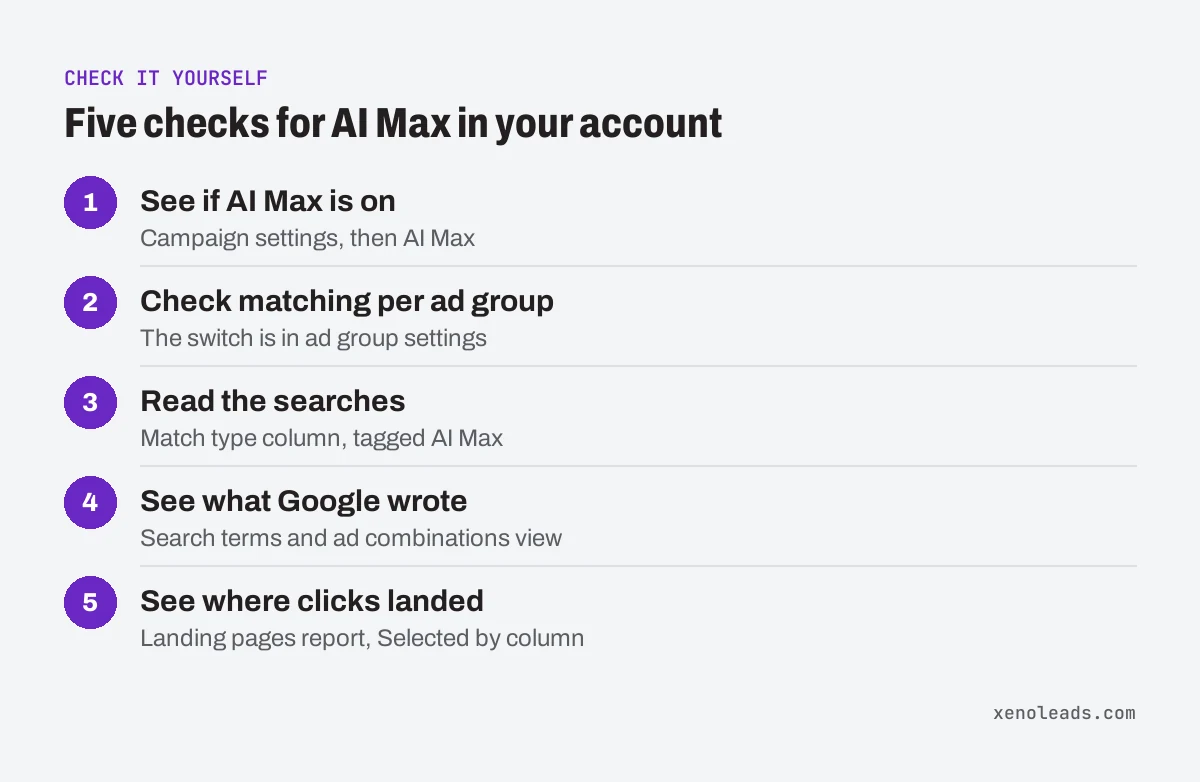
- See if AI Max is on. Go to Campaigns, then the Settings tab, select the campaign and open AI Max. Under Asset optimization, see whether Text customization and Final URL expansion are checked (Google Ads Help). (If the menu has moved, search for "AI Max" in the account's search bar.)
- Check search term matching per ad group. Google puts that switch in each ad group's settings, not the campaign's (Google Ads Help).
- Read the searches. Open the search terms report and look at the Match type column for searches tagged AI Max (Google Ads Help). Then ask the same question as always: would I take this job? Here's how to read that report.
- See what Google wrote. From the Search terms dropdown, pick the Search terms and ad combinations view. Google says it shows the headlines and landing pages people actually saw. In the ad-level asset report, text Google wrote is marked "Google AI" in the Added by column (Google Ads Help).
- See where clicks landed. In the landing pages report, the Selected by column shows whether AI Max picked the page (Google Ads Help). Any page you'd never send a customer to is a problem.
What happens if I turn text customization off?
Google stops writing ad text for that campaign, and Final URL expansion turns off with it (Google Ads Help). That's because Final URL expansion needs text customization on to work (Google Ads Help).
To do it: Campaigns, then Settings, select the campaign, open AI Max, uncheck Text customization under Asset optimization, and save (Google Ads Help).
You don't have to go all or nothing, though:
- One bad headline? Remove just that asset. Go to Ads, find the responsive search ad, choose View assets details, hover over the asset's status and pick Remove (Google Ads Help).
- One bad page? Keep Final URL expansion and add URL exclusions for the pages you never want used (Google Ads Help).
- One bad search? In the search terms report, select it and choose Add as negative keyword (Google Ads Help). Negatives match literally, which is covered in this post on exact match.
If you just turned AI Max on yourself, Google suggests waiting at least 2 weeks before changes like adding negatives (Google Ads Help). If it was switched on for you months ago and the searches look wrong, you already have your answer.
What we do about it
When we take over an account, we open the AI Max panel on every Search campaign and note what's on. During the weekly cleanup we read the AI Max searches, generated headlines and landing pages along with everything else, and remove what doesn't match the services you actually sell.
Want help reading what Google changed?
If you open those reports and can't tell what's yours and what's Google's, book a 30-minute call. We'll go through the settings with you and show you what's been running.
Sources
- How AI Max for Search campaigns works (support.google.com)
- About Final URL expansion in Search (support.google.com)
- Google Ads broad match campaigns face AI Max auto-upgrade on September 1, trade press (ppc.land)
- Turn text customization on or off in Search campaigns (support.google.com)
- About reporting in AI Max for Search campaigns (support.google.com)