 Xeno Leads
"Exact Match" Isn't Exact Anymore
The short answer
Exact match no longer means word for word. Google says exact match ads may show on searches with the same meaning or intent as your keyword. Negative keywords don't stretch that way, so plurals and synonyms slip past unless you add them. Your search terms report and negative list show the gap.
You picked exact match because you wanted control. Only the searches you chose, nothing else. That's not what exact match does anymore, and the difference shows up in your bill.
What does exact match actually do now?
Exact match shows your ad on searches Google decides mean the same thing as your keyword, not only the searches that use the same words.
When you add a keyword in Google Ads, you choose how closely a search has to match it. There are three settings: broad, phrase and exact. Exact sounds like it means "only this search, word for word."
It isn't. Google says exact match ads "may show on searches that have the same meaning or same intent as the keyword" (Google Ads Help). Google decides what counts as the same meaning.
Here's a made-up example for a made-up tint shop, Harbor Line Tint. Their exact match keyword is [ceramic window tint]. Searches that could trigger it might include:
- "ceramic window tint" (the keyword itself)
- "ceramic tint for windows"
- "window tint ceramic"
- "ceramic window tinting"
So far, so good. Those are the same customer. But "same meaning" is a judgment call, and Google's call might not be yours. Made-up searches like these could slip in too:
- "ceramic window film" (could be a house, and Harbor Line only does cars)
- "ceramic coating and tint" (a detailing search, maybe a package they don't sell)
Exact match still gives you the most control of the three. Google says it "gives you the most steering over who views your ad" (Google Ads Help). It just isn't a guarantee.
Don't my negative keywords stretch the same way?
No. Your keywords stretch to cover similar searches, but your negative keywords, the words you tell Google to never show your ad for, don't stretch at all.
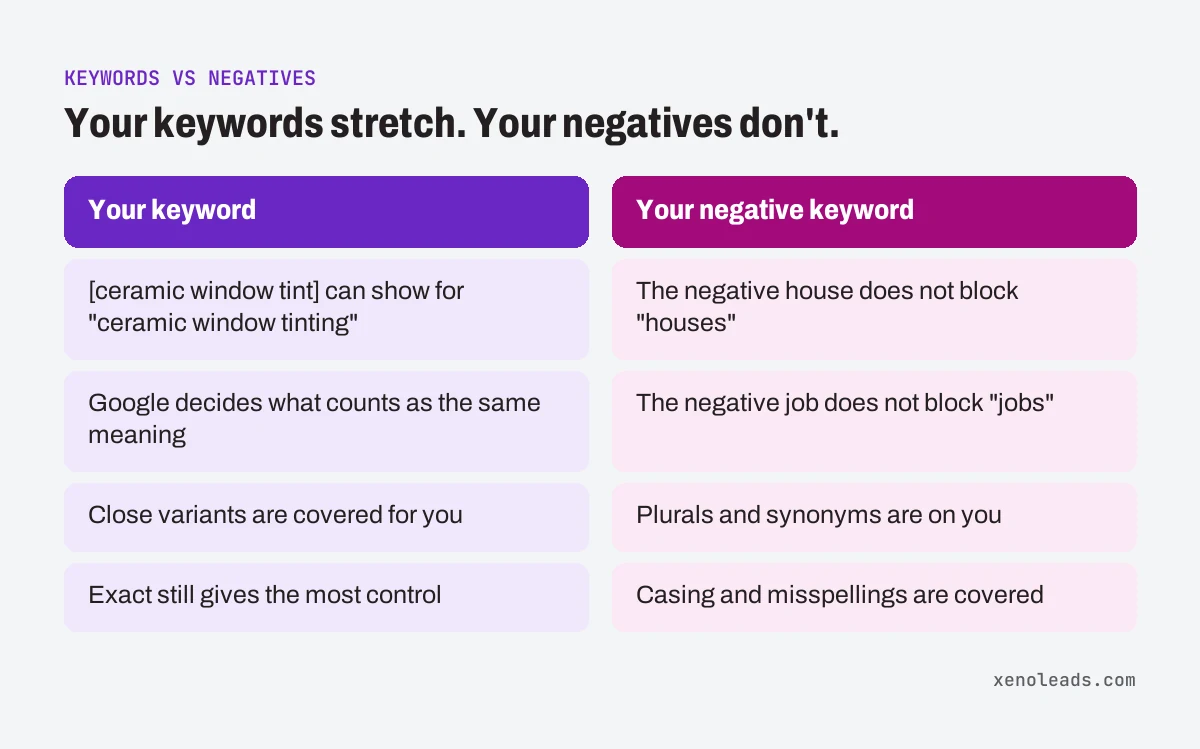
Google puts it plainly: "Negative keywords won't match to close variants or other expansions." You'll "need to add synonyms and singular or plural versions" yourself (Google Ads Help).
So in the same account:
- the keyword [ceramic window tint] can show for "ceramic window tinting"
- but the negative house does not block "houses," and the negative job does not block "jobs"
The one exception is spelling: Google says negatives automatically account for casing and misspellings (Google Ads Help). Plurals and synonyms are on you.
That's how the same budget can end up buying different searches than the ones you picked. Your keywords reach wider than you think, and your fences are narrower than you think.
Do negative keywords have match types too?
Yes, and they mean something different from the keyword versions. This trips up a lot of people. Negatives come in broad, phrase and exact too:
- Negative broad (the default): blocks a search that contains all of the words, in any order.
- Negative phrase: blocks a search that contains the words together, in that order, even with other words around them.
- Negative exact: blocks only that exact search, in that order, with no extra words.
Google's example: the negative running shoes blocks "blue running shoes" as broad or phrase, but not as exact (Google Ads Help). If you added a negative as exact by accident, it's probably blocking far less than you meant it to.
How to check it yourself
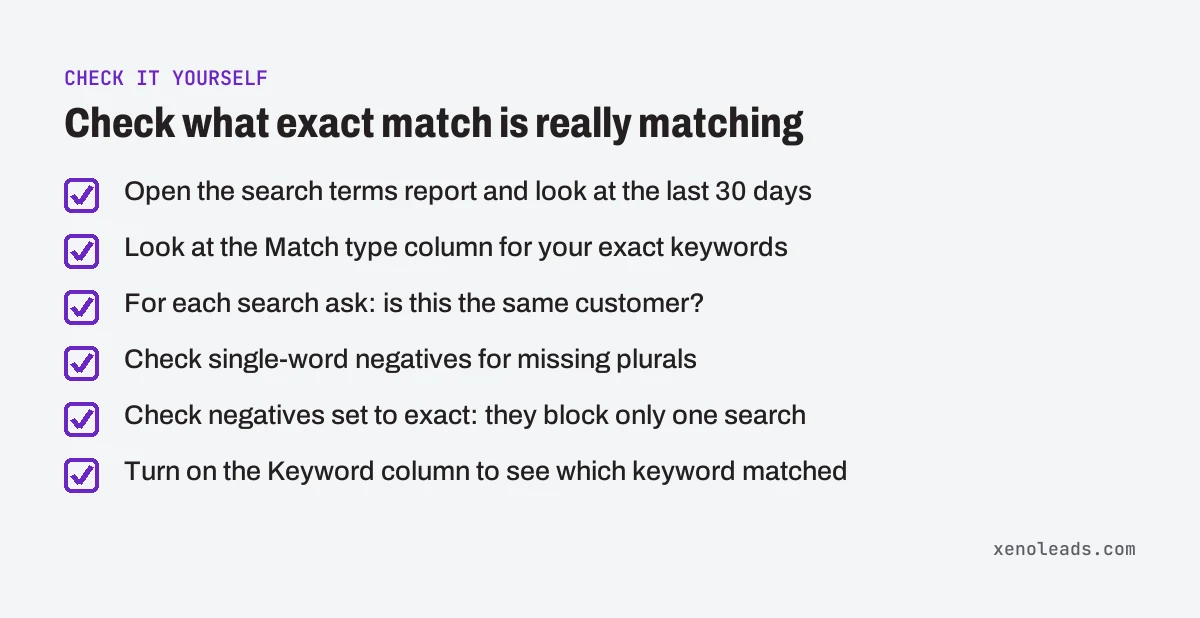
- Open the search terms report. Click Campaigns in the left menu, then Insights and reports, then Search terms (Google Ads Help). Look at the last 30 days. (If the menu has moved, search for "search terms" in the account's search bar.)
- Look at the Match type column. Google says it shows how closely each search relates to your keyword (Google Ads Help). Focus on the searches that came in through your exact match keywords.
- Ask, for each one: same customer? "Ceramic window tinting" is the same customer. "Ceramic window film for my house" might not be.
- Check your negatives for missing plurals. Open your negative keywords. For each single word, is the plural there too? Job and jobs. Kit and kits. House and houses.
- Check your negative match types. Any negative set to exact is only blocking one search. If you meant to block every search containing that word, change it to phrase or broad.
- Turn on the Keyword column. It shows which of your keywords matched each search, and Google says it doesn't show by default (Google Ads Help). If one exact keyword is pulling in lots of searches that aren't really it, Google's idea of "same meaning" doesn't match yours for that keyword.
For what to do with the junk you find, we walk through the whole report in where your ad money actually goes.
What we do about it
We treat exact match as "close," not "exact," and we read what it actually matched. When we block a word, we block its plural and the obvious synonyms at the same time, and we choose the negative's match type on purpose instead of leaving whatever the tool defaulted to. Then we check the next report to make sure the fence did what we meant.
Start with the free checklist
Paying for searches you'd never take is one item on the free Lead Leak Checklist. The other 11 cover the places leads slip away after someone finds you, from missed calls to forgotten quotes.
Sources
- About keyword matching options (support.google.com)
- About negative keywords (support.google.com)
- About the search terms report (support.google.com)