 Xeno Leads
How Long Should a Call Be Before You Count It as a Lead?
The short answer
Long enough to filter out hang-ups, wrong numbers and quick are-you-open calls, but shorter than your quickest real lead. There's no right number for every shop. Pull your recent calls, mark which were real leads, set the minimum between them, and use the same number in Google Ads and your call tracking.
Your ad account says the ads made the phone ring a lot more last month than you remember. Most of those calls probably did happen. They just weren't leads.
How does Google decide a call counts as a lead?
Usually by how long the call lasted. You set a minimum, in seconds, and Google counts calls "that last longer than a minimum duration you set" (Google Ads Help).
The same page describes a second option where Google's AI analyzes call recordings to pick out good leads. When recording isn't available, it falls back to the call length you set. Either way, that number matters.
That one number decides what goes in your lead count. Set it too short and these all count as leads:
- the person who heard your voicemail greeting and hung up
- a wrong number
- a robocall
- "Are you open Saturday?" "Yes." "Thanks."
Set it too long and you miss real leads, like the customer who knows exactly what they want and books before your minimum is up.
Why don't my call numbers match?
Usually because more than one thing is counting calls, and each one has its own minimum. A shop running ads often has two or three of them:
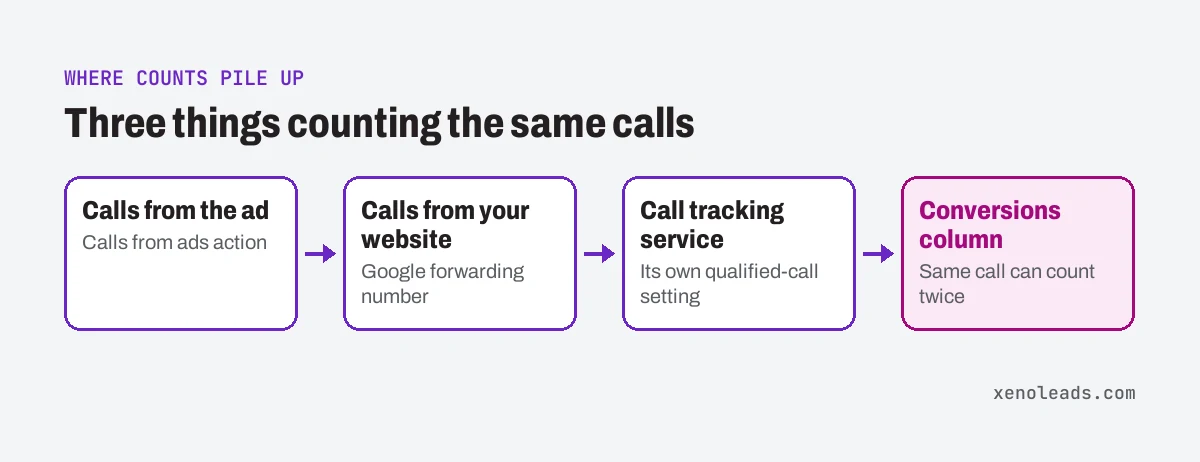
- Calls straight from the ad. When someone calls from your ad through a call asset (the phone number attached to the ad), Google can count it. Once call reporting is on, new calls like these are counted under a default conversion action called Calls from ads (Google Ads Help).
- Calls from your website. Google can also swap the number on your website for a Google forwarding number and count calls from people who clicked an ad first. That one also counts a call only when it "lasts longer than a minimum length you set" (Google Ads Help).
- Your call tracking service. If you use a call tracking company, it likely has its own setting for what counts as a "qualified" or "first-time" call, and it may send those calls into Google Ads as a separate conversion. Check your provider's settings to see what it uses.
If each of these has a different minimum, your numbers will never agree. Google says one thing, the call tracking dashboard says another, and nobody knows which is right. Worse, primary actions all land in the Conversions column (Google Ads Help), so if two of them track the same call, it can be counted twice. (That's part of the problem in our post on counting the wrong things as leads.)
How to pick your number and check it yourself
Pick it from your own calls, not from a default, because no number is right for every shop. A towing call can be a lead fast: location, car, done. A quote for a new HVAC system usually takes a lot longer.
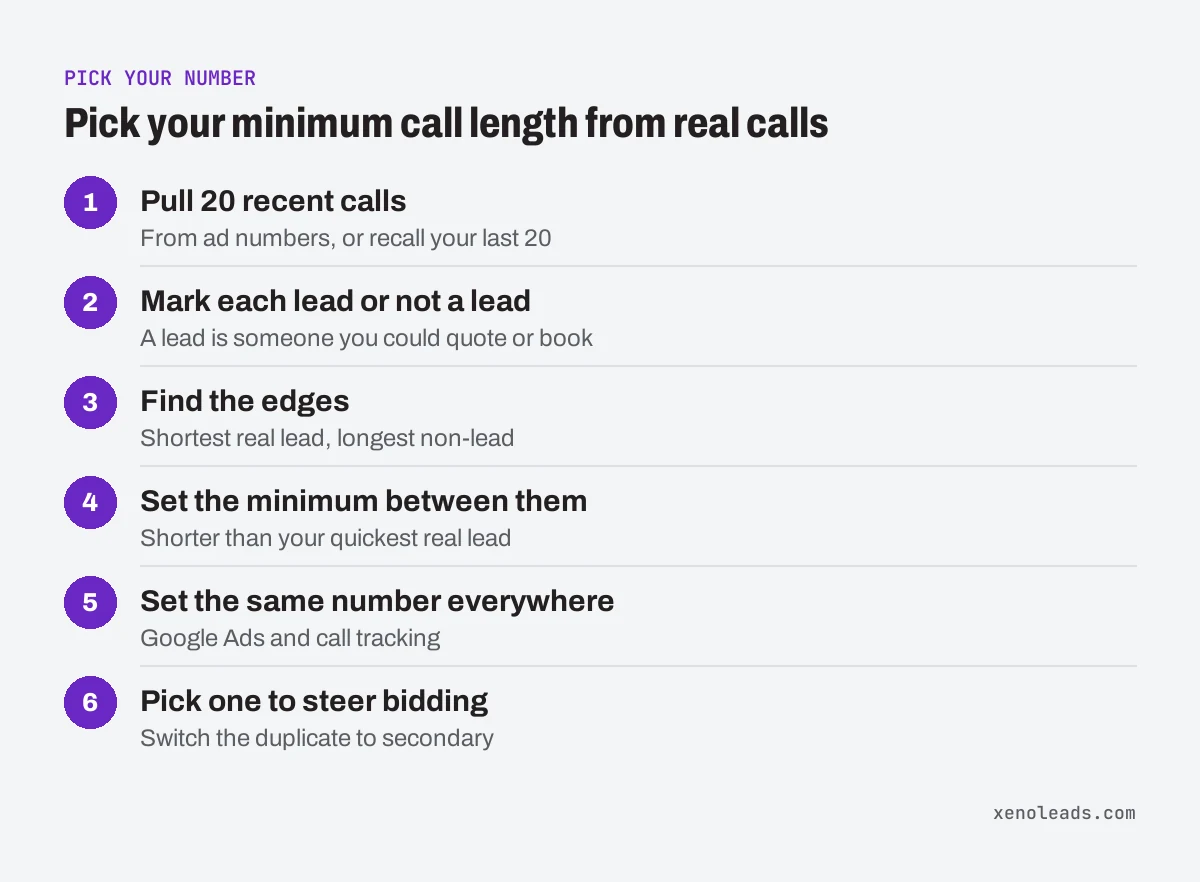
- Pull 20 recent calls from ad numbers, if your call tracking records them. If it doesn't, think through the last 20 calls you took.
- Mark each one: lead or not a lead. A lead is someone you could quote or book.
- Look at how long the shortest real lead lasted. And how long the longest non-lead lasted (usually the "are you open?" calls).
- Set the minimum between them. Shorter than your quickest real lead, longer than most of the hang-ups and quick questions.
- Set the same number everywhere. In Google Ads, open the Goals menu and go to Summary to see your conversion actions (Google Ads Help). (If the menu has moved, search for "conversions" in the account's search bar.) Click into each call action and check its call length. In your call tracking, find its qualified-call setting. Make them match.
- Pick one to steer bidding. If two of them count the same calls, keep one as primary and switch the other to secondary. Primary actions are "used for bidding," and secondary ones are "for observation only" (Google Ads Help).
While you're in each call action, check Count too. For calls it should usually say One. Google describes that setting as counting "only one conversion per ad click," and calls it a good choice when you care whether a lead came in, not how many times (Google Ads Help).
What can't call length fix?
It can't tell you who was on the line. Length is a rough filter, not a lead score. A long call from an existing customer asking about their invoice will still count. So will a long call from a vendor.
That's why it helps to listen to a handful of calls every month. If lots of long calls aren't new customers, that's a different problem: maybe your number is on an old invoice or a directory listing that's sending the wrong people.
And when you change the number, the lead count will move. Raise it and the count drops. That's not the ads getting worse. It's the count getting honest.
What we do about it
On the accounts we run, we decide what a lead call is for that shop's trade, then set the same minimum in Google Ads and in call tracking, so there's one number to trust. Only one call conversion steers bidding. On the monthly walkthrough call, we check the call count against what the owner actually saw on the phone.
Not sure what your account is counting?
If you open your call settings and find three different numbers, or none at all, book a 30-minute call. We'll look at it with you and tell you what each one is counting.
Sources
- Measure calls from ads (support.google.com)
- Set up tracking calls to a phone number on a website (support.google.com)
- About primary and secondary conversion actions (support.google.com)
- Set up your web conversions (support.google.com)
- About conversion counting options (support.google.com)