 Xeno Leads
Why Isn't My Business Showing Up on Google Maps?
The short answer
First check whether you're missing or just ranked low. An unverified or suspended profile doesn't show at all. If it does show, Google ranks mainly on relevance, distance and prominence. You control your categories, services, complete info and reviews. You can't control where the searcher is standing. Service-area shops hiding their address is normal.
You search Google Maps for your trade and your town, and three other shops come up. Yours doesn't. Before you assume something's broken, check which problem you have.
Is my business missing, or just not ranking?
Check that first, because the fix is different. Search Google Maps for your business name and your city, which is the same check Google tells owners to run (Google Business Profile Help).
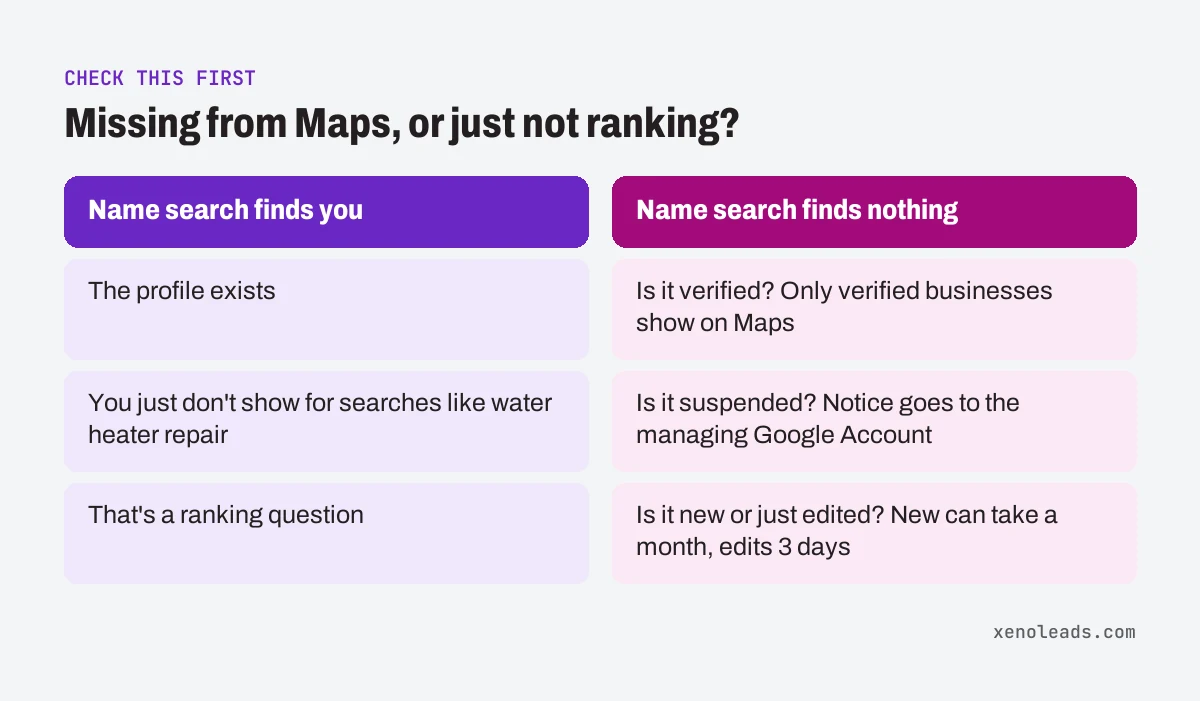
If the name search finds you, the profile exists. You're just not showing up when people search for the work, like "water heater repair." That's a ranking question, and most of this post is about it.
If the name search finds nothing, look at three things first:
- Is it verified? Google says "Only verified businesses can show their business info on Maps and Search" (Google Business Profile Help).
- Is it suspended? Google says a profile that violates its guidelines becomes disabled or suspended and won't show to other people until the issue is fixed. The notice goes to the Google Account that manages the profile (Google Business Profile Help).
- Is it new or just edited? Google says rankings for new businesses can take up to a month to appear, and edits can take up to 3 days (Google Business Profile Help).
How does Google decide who shows on the map?
Google says local results are mainly based on three things: relevance, distance and how well known the business is (Google Business Profile Help). The page calls that last one popularity in one spot and prominence in another.
- Relevance is how well your profile matches what someone searched. Google says complete, detailed business info helps.
- Distance is how far each business is from the person searching. If they haven't shared their location, Google uses what it knows about it.
- Prominence is how well known the business is. Google points to things like how many websites link to it and how many reviews it has, along with the ratings.
Google also says there's no way to request or pay for a better local ranking (Google Business Profile Help). So if someone calls offering a guaranteed top spot on Maps, that's worth a polite hang-up.
What can I actually change?
You control relevance and part of prominence. You don't control distance.
Distance is about where the customer is standing. Made-up example: Pine Hollow Pest Control is based on the north side of town. A homeowner searching from the far south end may see shops closer to them ranked higher. Nothing is wrong with Pine Hollow's profile. That's the distance factor doing its job.
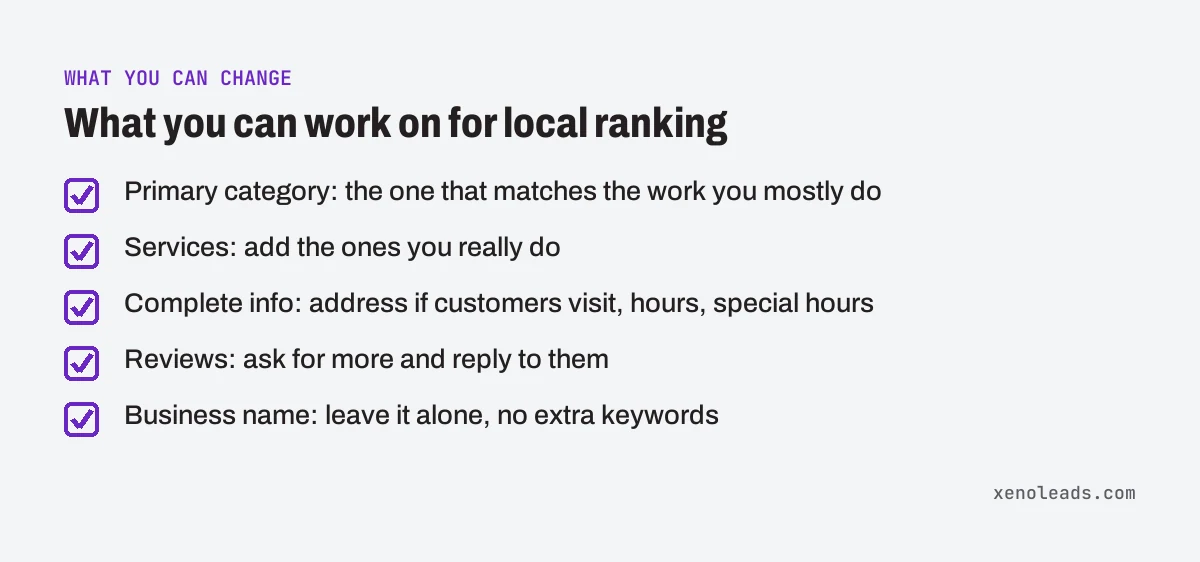
Here's what you can work on:
- Your primary category. Google says the categories you pick affect your local ranking, and its own example shows the primary category shaping which searches you can show up for (Google Business Profile Help). Pick the one that describes the work you mostly do. Google's guidelines also say to use as few categories as possible to describe your core business (Google Business Profile Help), so don't pile on every loosely related one.
- Your services. If your category offers a services list, add the services you really do. Google says that when someone searches for a service you offer, it may be highlighted on your profile (Google Business Profile Help). Google doesn't say it moves your ranking.
- Complete info. Google lists your address (if customers visit), hours, special hours, category and attributes as things to keep complete and accurate (Google Business Profile Help).
- Reviews. Google says more reviews and positive ratings can help your local ranking, and it suggests replying to them too (Google Business Profile Help).
- Your business name, left alone. Tempting as it is to add "Best AC Repair" to the name, Google says unnecessary information in the business name isn't permitted, and breaking the guidelines can get a profile suspended (Google Business Profile Help).
I hid my address. Is that why I'm not showing?
Not by itself. Hiding it is what Google asks service-area shops to do.
Google's guidelines say: "If you're a service-area business, you should hide your business address from customers" (Google Business Profile Help). If you go to the customer, like towing, mobile detailing, lawn care or most HVAC and plumbing work, that's you.
Instead of an address, you set a service area. Google allows up to 20 service areas based on cities, postal codes or other areas. It doesn't allow a radius, and it suggests keeping the whole area within about 2 hours of driving time from where you're based (Google Business Profile Help).
If customers come to you, like a tint shop or an auto glass shop with a bay, show your storefront address. If you also go out to customers, Google calls that a hybrid business, and you can show the address and set a service area (Google Business Profile Help). What you can't use is a P.O. box or a virtual office. Google says P.O. boxes aren't acceptable and a virtual office isn't eligible for a profile (Google Business Profile Help).
How to check it yourself
Sign in to the Google account that manages your profile first.
- Search your name and city on Google Maps. If nothing comes up, search "my business" on Google while signed in to pull up the profile you manage, and check that Google Account for a suspension notice (Google Business Profile Help).
- Check your primary category. Go to your profile, select Edit profile, then Edit next to Business category (Google Business Profile Help). Heads up: Google says changing a category may ask you to verify the business again.
- Check your services. From your profile, select Edit services and add the work you do that's missing (Google Business Profile Help).
- Check your service area. Go to your profile, select Edit profile, then Location, then Edit next to Service area. Confirm the list matches where you actually go (Google Business Profile Help).
- Check hours and phone. Google says the phone number has to connect to your business and be under your direct control (Google Business Profile Help). Make sure it's the line that actually gets answered.
- Search like a customer. Ask someone across town to search your main service on Maps and send you a screenshot. That shows you distance at work better than searching from your own shop.
Want to find the other places leads slip?
A Business Profile with old info is one of the spots on our Lead Leak Checklist, along with missed calls, slow form replies and reviews nobody asked for. It's free, and you can go through it with your own phone and inbox this week.
Sources
- Find your business on Google (support.google.com)
- Tips to improve your local ranking on Google (support.google.com)
- Manage your business category (support.google.com)
- Guidelines for representing your business on Google (support.google.com)
- Manage your services on your Business Profile (support.google.com)
- Manage your service areas for service-area & hybrid businesses (support.google.com)